Make room for the teaching.
Individual lessons, group classes, recurring patterns, and the changes along the way. Give each teaching week a clear shape.
For independent music teachers
Schedule lessons, keep student notes, and plan the next term in one place.
For Mac, iPad, and iPhone.
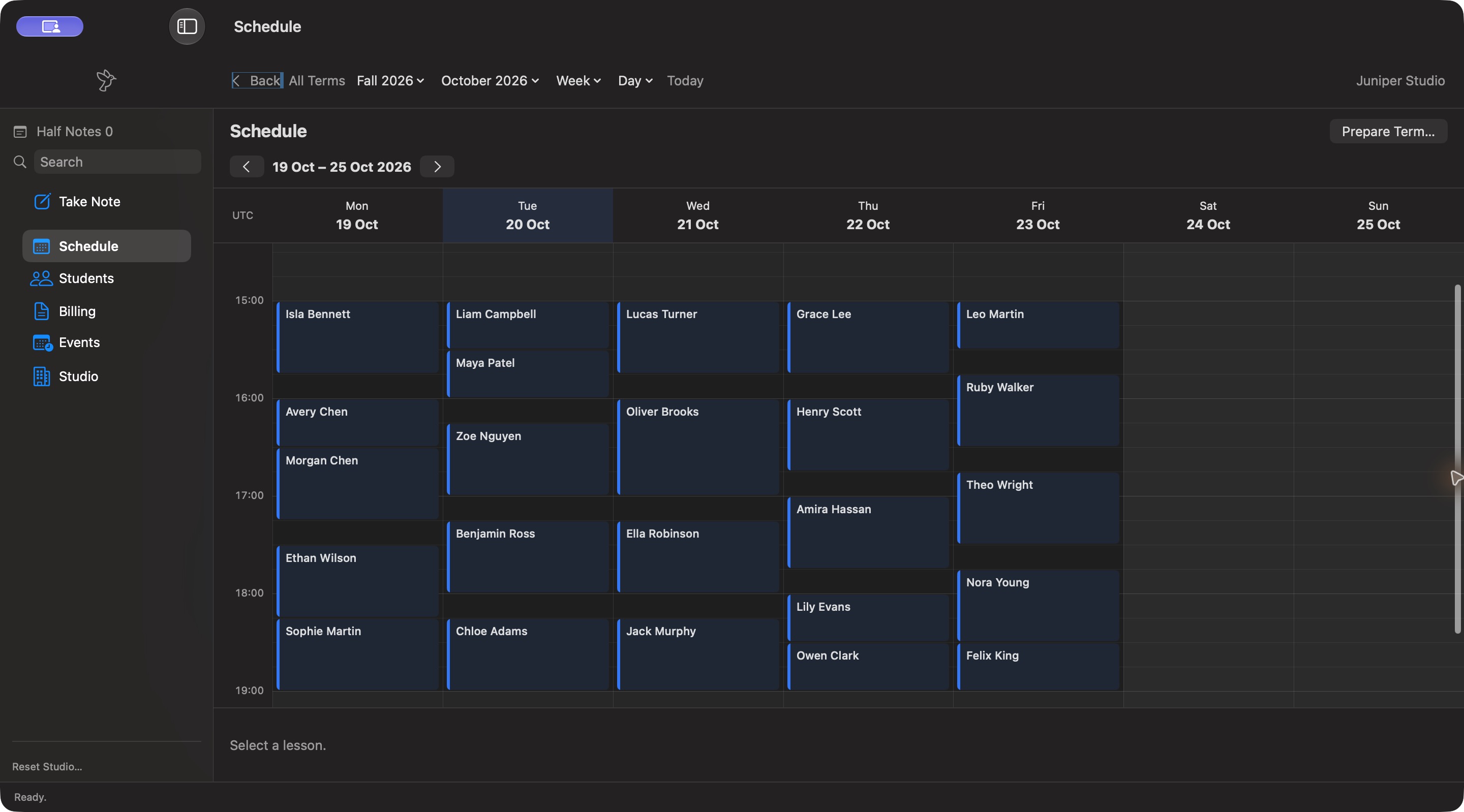

Before the lessonMake a plan.
In the lessonFollow the music.
Beyond the lessonKeep the thread.
A little rhythm for the work between lessons.
BeatBook.
Beat the books
and book your beats.
THE WORK BETWEEN THE NOTES
From the first plan for a term to the note you leave for next week, the details should make sense together.
Individual lessons, group classes, recurring patterns, and the changes along the way. Give each teaching week a clear shape.
Keep repertoire, progress, and lesson notes in the student’s story, so each lesson picks up where the last one left off.
Work through availability and scheduling constraints in a proposal you can review. Explore the fit, refine the plan, and stay in charge of the next term.
AROUND THE STUDIO
More of BeatBook on iPad, using illustrative studio records. Select any image to see it full size.
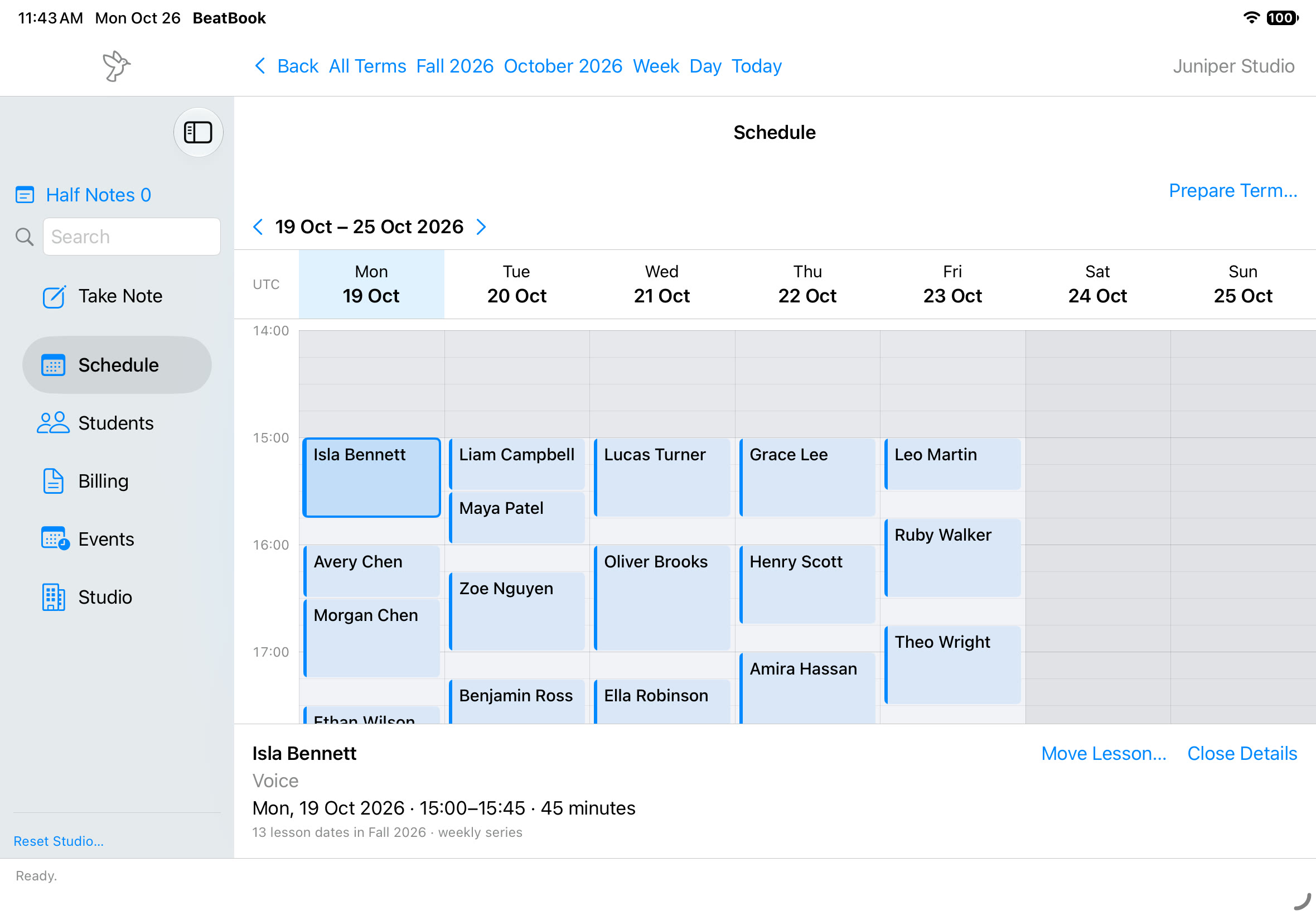
A selected lesson brings its time, type and weekly series into view.
View full-size screenshot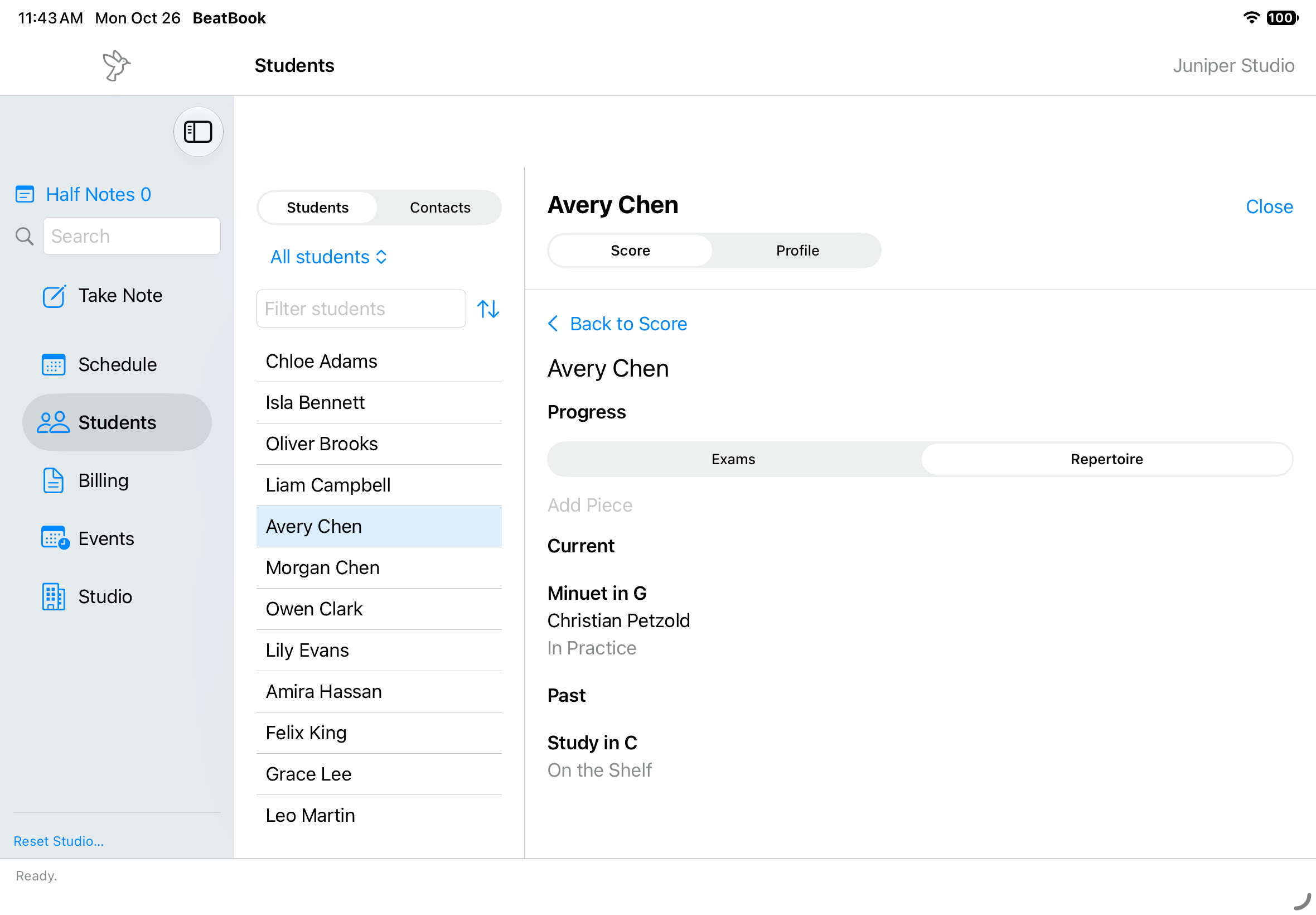
Browse a student’s current and past repertoire in one place.
View full-size screenshot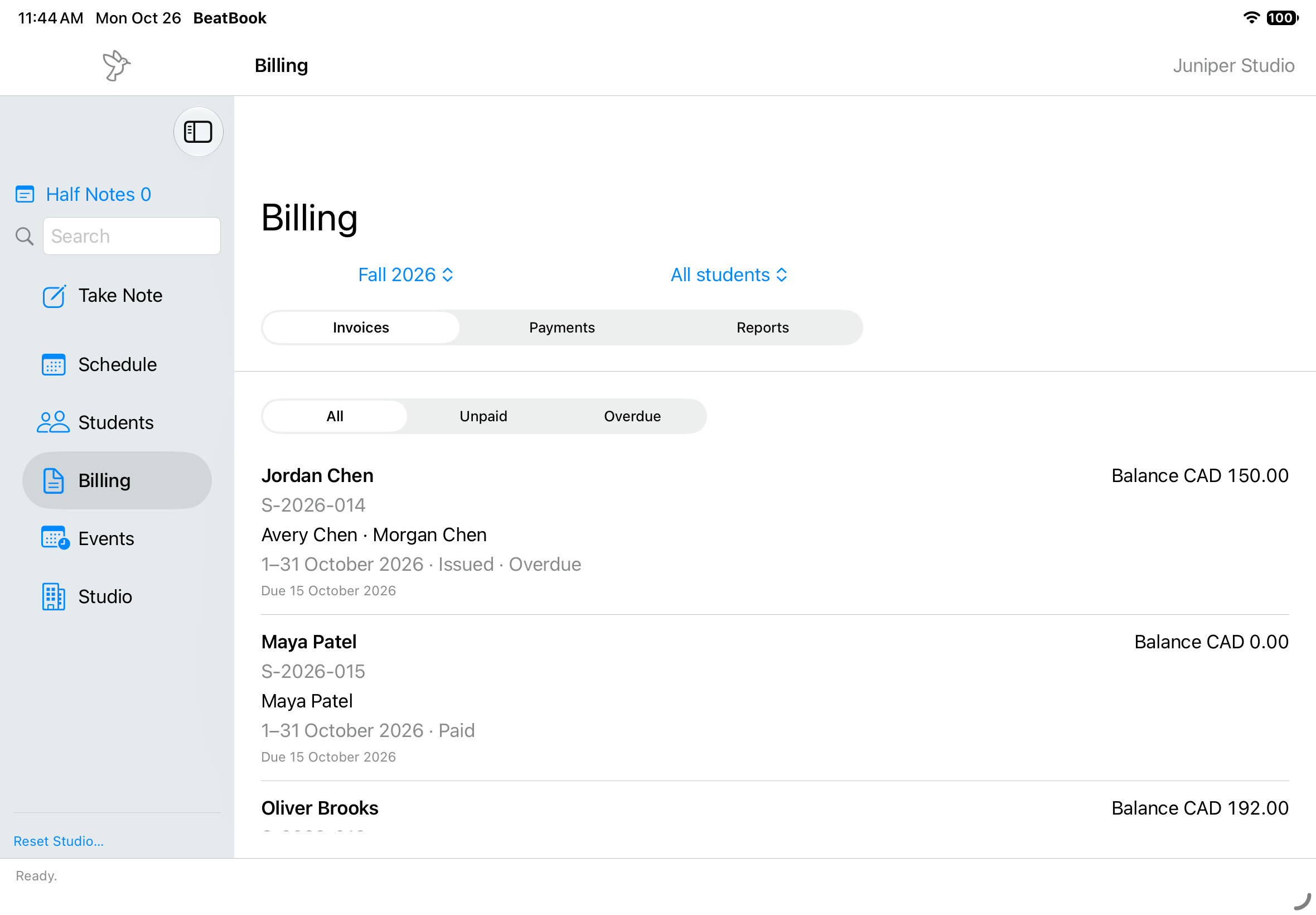
Browse invoice statuses, due dates and outstanding balances.
View full-size screenshotTHE REST OF RUNNING A STUDIO
A studio has books to keep as well as lessons to teach. Make space for billing, studio records, and recital planning alongside the teaching work.
Thoughtfully connected.
From lessons to ledgers.
FOLLOW THE NEXT CHAPTER
Join the interest list for future BeatBook news and availability updates.
Get BeatBook updatesTERM PREPARATION
The Solver explores lesson times around your fixed placements. Review its suggestions before accepting them.
Play when you’re ready. The video stays still until you start it; pause, replay or use full screen with the player controls.
In Term Preparation, students begin in the Solver tray beside a reference timetable. The working timetable already contains fixed lessons. Running the Solver moves suggested lessons into the working timetable around those fixed lessons. This run finds 20 suggestions and leaves one student unplaced. Suggestions are still a proposal: Accept All and Dismiss remain available for the teacher to review the plan.
Join the interest list for product news and availability updates. Signup does not create an app account, reserve a product, or make a purchase.
Independent music teachers and small teaching studios, with a focus on the day-to-day rhythm of a single-teacher studio.
BeatBook’s Mac schedule and iPad lesson, repertoire and invoice views, using illustrative studio records. The rhythmic illustration near the top describes the product idea.